Business process automation is not a single technology or a one-time project. It is a strategic approach to how organizations design, execute, and manage the operational work that keeps the business running.
This guide covers what business process automation is, how it works in practice, where it delivers the most value, and what organizations need to consider when building or expanding an automation strategy in 2026. Whether you are evaluating automation for the first time or looking to mature an existing program, this guide provides a practical framework for understanding the scope, benefits, and strategic case for automation across the enterprise.
What Is Business Process Automation?
Business process automation is the use of technology to execute recurring operational tasks, approvals, and workflows according to defined rules, without requiring manual intervention at each step.
It is important to distinguish business process automation from general task management or simple notification tools. Automation in the business process context means that work moves forward automatically based on logic, not because someone remembered to take an action.
When an employee submits a purchase request, business process automation routes it to the right approvers in the correct sequence, sends reminders if approvals stall, escalates if thresholds are missed, and notifies the requester at each stage. No one manages that process manually. The logic built into the workflow handles it.
Business process automation spans a wide range of operational contexts:
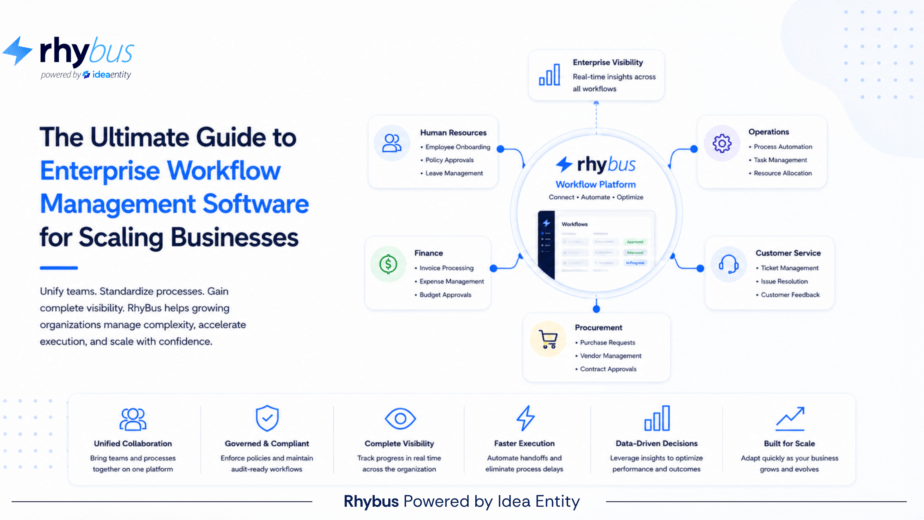
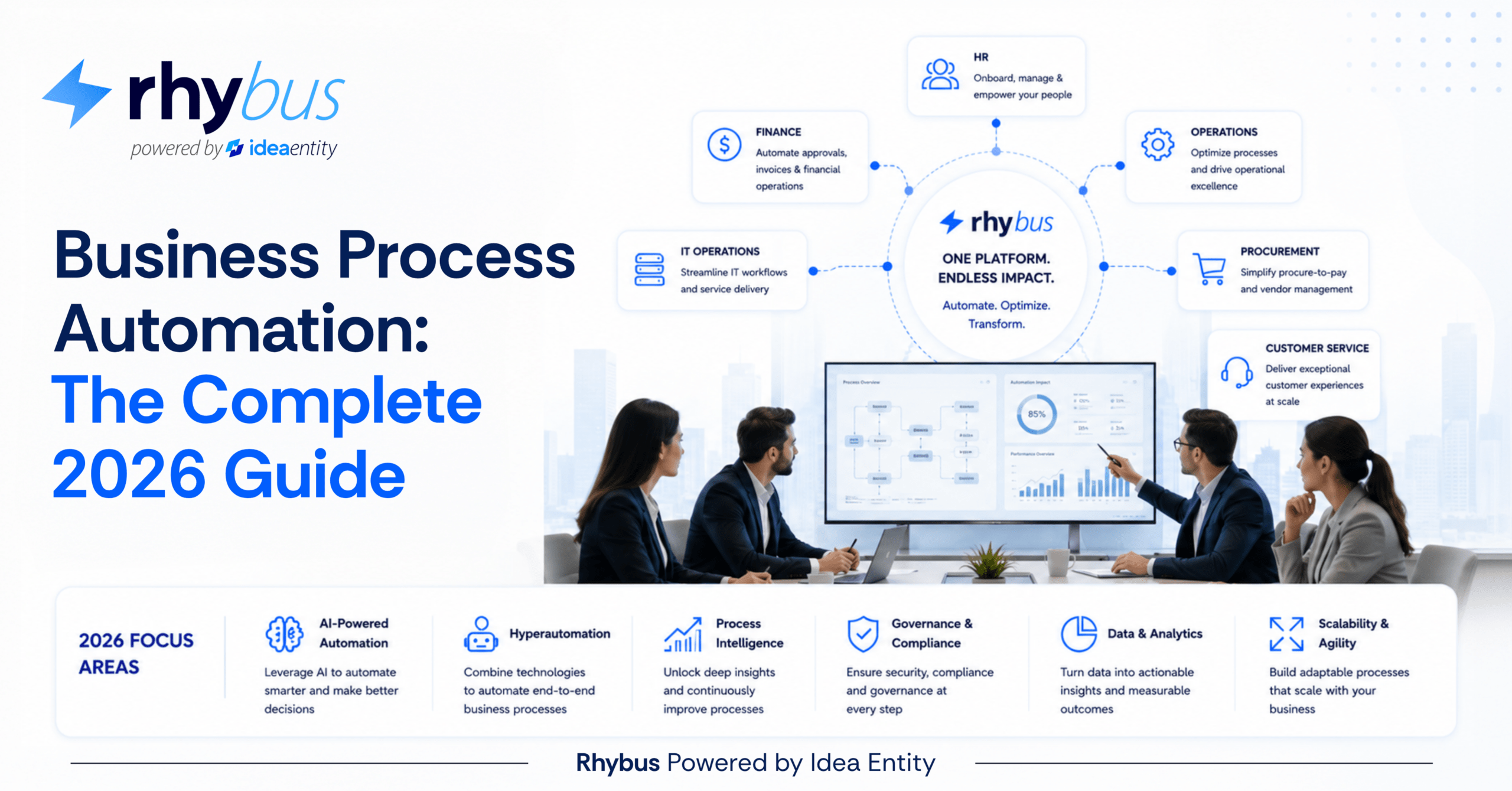
- HR operations: onboarding, offboarding, leave requests, performance review coordination, policy acknowledgment
- Finance and procurement: purchase approvals, vendor onboarding, invoice workflows, contract reviews, budget authorizations
- IT operations: service request routing, access provisioning, change management, incident coordination, compliance documentation
- Compliance and legal: audit evidence collection, regulatory reporting workflows, policy adherence tracking
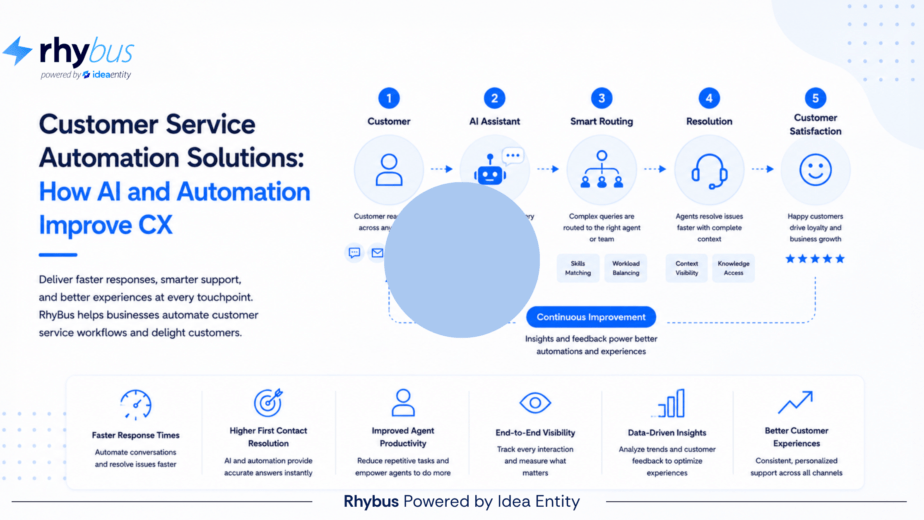
- Customer service: ticket routing, escalation management, SLA monitoring, cross-team coordination
The common thread is repetition. Any process that follows defined steps, involves multiple stakeholders, requires documentation, or must scale reliably across an organization is a candidate for automation.
Why Business Process Automation Matters in 2026
The operational context for automation has changed significantly in recent years, and continues to change.
Organizations are managing more complex workflows across more distributed teams than ever before. Remote and hybrid work environments have made informal coordination harder to sustain. Compliance requirements have expanded across industries. Customer expectations for speed and consistency have risen. And the volume of operational work, requests, approvals, reports, handoffs, continues to grow.
In this environment, manual coordination is not just inefficient. It is a structural risk. Organizations that rely on people to manually manage high-volume, high-stakes workflows are exposed to delays, errors, inconsistency, and the inability to scale without proportionally increasing coordination headcount.
Business process automation addresses this by moving operational logic out of individual behavior and into system-enforced workflow structures. The process works the same way every time, regardless of who is handling it, which team is involved, or what else is happening in the organization.
For 2026 specifically, several factors are accelerating adoption:
- AI-assisted intelligence is making automation platforms more capable of surfacing operational insights, not just executing tasks, enabling proactive management at scale
- No-code and low-code configuration tools have substantially lowered the barrier to building and modifying workflows without requiring technical resources
- Growing regulatory and audit requirements are making workflow documentation and traceability a compliance necessity rather than a best practice
- Workforce expectations are shifting, with employees expecting better tools and less time spent on repetitive administrative coordination
Business Process Automation Benefits
The case for business process automation is built on both direct operational improvements and compounding strategic benefits that build over time.
Direct benefits organizations typically see after implementing business process automation:
- Faster cycle times: Approvals that previously took days due to email chains and manual follow-up resolve in hours when routing and notifications are automated
- Reduced error rates: Automated workflows remove the human error that comes from manual data entry, missed steps, and inconsistent execution
- Lower administrative burden: When routine coordination is handled by the automation platform, staff spend less time on process management and more time on higher-value work
- Improved compliance posture: Automated workflows generate consistent documentation, enforce required approval steps, and create audit trails that support compliance review
- Greater operational transparency: Workflow dashboards and reporting provide managers with visibility into process performance that is simply unavailable when work is coordinated through email and spreadsheets
Compounding benefits that build value over time:
- Operational data: Automated workflows generate structured data about how processes perform, where they slow down, and how they change, data that supports continuous improvement in ways manual processes cannot
- Scalability without proportional cost: As workflow volume grows, automated processes handle increased demand without requiring additional coordination resources
- Process standardization: Automation enforces consistent execution across teams, locations, and time, reducing the operational drift that occurs when processes depend on individual interpretation
- Organizational resilience: Documented, automated workflows reduce the operational risk associated with staff turnover, because process knowledge is embedded in workflow structure rather than held by individuals
Business Process Automation Use Cases Across the Enterprise
Business process automation delivers measurable value across virtually every organizational function. These are the areas where organizations most consistently see strong operational improvement:
Employee Onboarding and Offboarding: Onboarding is among the most coordination-intensive processes in any organization, requiring synchronized action across HR, IT, facilities, payroll, and management within a tight timeline. Business process automation turns onboarding into a coordinated workflow where tasks are assigned automatically, completion is tracked centrally, and gaps are surfaced before they become delays. Offboarding follows the same logic in reverse, with access revocation, equipment return, and documentation workflows running in parallel.
Procurement and Financial Approvals: Purchase requests, vendor onboarding, and contract approvals all involve multi-step approval chains with defined thresholds and compliance requirements. Automation ensures requests move through the right approvers in the correct sequence, with documentation captured at every stage. Finance teams gain visibility into spending workflows without manually tracking requests through email.
IT Service Management: Service requests, access provisioning, change management approvals, and incident response workflows all benefit substantially from automation. Tickets route to the right teams automatically. Change approvals follow governance requirements without manual orchestration. Incident escalations trigger based on predefined rules. IT teams reduce administrative overhead and improve service delivery consistency.
Compliance and Regulatory Workflows: Compliance processes require consistent execution, thorough documentation, and reliable audit trails. Automation ensures policy acknowledgments are collected systematically, compliance reviews follow defined schedules, and approval records are generated and stored in a format that supports regulatory review. Manual compliance processes introduce inconsistency; automated ones eliminate it.
Customer Service Operations: Customer service workflows built on automation deliver faster, more consistent service experiences. Tickets route to the right team based on issue type and priority. Escalations trigger automatically when SLAs are at risk. Cross-department coordination happens through workflow notifications. Managers gain visibility into resolution performance without manual reporting.
How Business Process Automation Tools Work
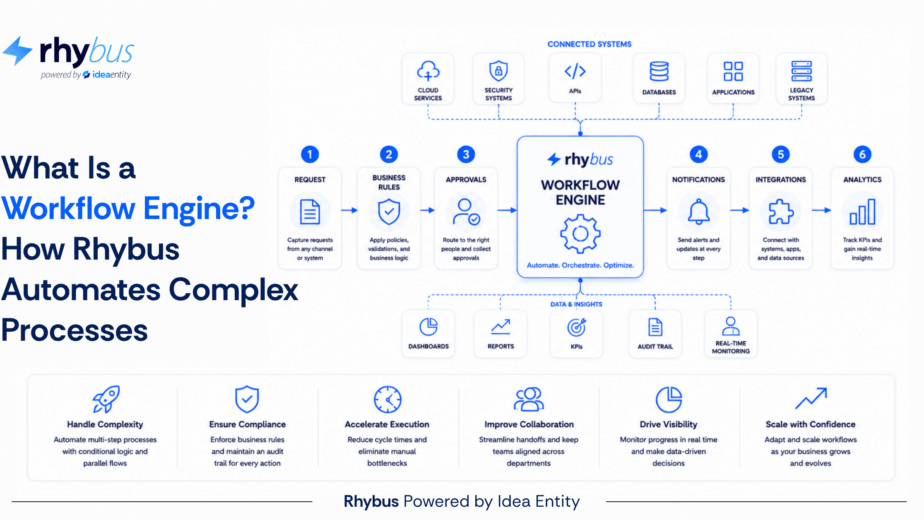
Business process automation tools vary in sophistication, but most enterprise platforms share a common operational architecture built around these core components:
- Workflow builder: A configuration interface where process owners define steps, routing rules, conditions, and approvals. In modern platforms, this is no-code or low-code, allowing non-technical users to build and modify workflows without development support.
- Routing and escalation engine: The system logic that moves tasks between stakeholders based on workflow rules, automatically escalating when deadlines are missed or approval thresholds are exceeded.
- Notification and communication layer: Automated alerts that keep stakeholders informed of pending tasks, completed approvals, and workflow status changes without manual coordination.
- Integration connectors: Connections to external systems, HR platforms, ERP tools, IT service applications, communication platforms, allowing workflow data to flow across the organizational technology stack.
- Reporting and analytics: Dashboards and reports that provide visibility into workflow performance, SLA compliance, approval trends, and operational bottlenecks.
- Audit and governance layer: Records of every workflow action, including who acted, what decision was made, and when, supporting compliance, accountability, and audit requirements.
The effectiveness of business process automation tools depends heavily on how workflows are designed. Technology enables automation, but the quality of the process logic built into each workflow determines whether the automation actually solves the operational problem it is intended to address.
Governance, Accountability, and Workflow Visibility
One of the most frequently underappreciated aspects of business process automation is its contribution to organizational governance, the structural assurance that processes work as designed, that deviations are visible, and that accountability is clear.
This matters for organizations in regulated industries and those subject to external audit, but it matters equally for any organization that takes operational accountability seriously. When work is managed manually, process adherence depends on individual discipline. When work is automated, process adherence is structurally enforced.
Business process automation supports governance through:
- Structured approval chains that cannot be bypassed without documented authorization
- Audit trails that capture every action, decision, and timestamp within a workflow
- Role-based access controls that limit who can view or act on specific workflows
- Escalation management that documents when and why workflows were escalated
- SLA monitoring that surfaces compliance gaps in real time rather than after the fact
The combination of automation and governance is what makes business process automation a strategic capability rather than just an efficiency tool. Organizations that automate well do not just move faster, they operate with greater transparency, accountability, and control.
Building a Business Process Automation Strategy
Successful business process automation is not achieved by automating everything at once. Organizations that approach automation strategically, starting with the highest-impact processes and building operational maturity over time, consistently outperform those that deploy broadly without a clear framework.
A practical approach to building a business process automation strategy:
- Identify high-value automation candidates: Start with processes that are high-volume, involve multiple stakeholders, follow clear rules, and are currently causing operational pain. These offer the fastest path to visible ROI.
- Map process logic before automating: Automation makes processes faster and more consistent, but it also makes flaws in process design more visible. Invest time in documenting and improving workflows before automating them.
- Establish governance standards early: Define how workflows will be documented, who owns each process, how changes will be approved, and how audit requirements will be met. Governance frameworks are far easier to establish before automation is deployed at scale.
- Measure from the start: Identify the operational metrics that matter for each automated process and begin tracking them from day one. Baseline data is essential for demonstrating ROI and identifying improvement opportunities.
- Expand systematically: Once initial workflows are performing well, use the operational data and institutional knowledge gained to extend automation to adjacent processes and departments.
Selecting Business Process Automation Tools
Choosing business process automation tools is a significant operational decision. The platform becomes the infrastructure layer for how work moves across the organization, selecting the wrong one creates technical debt and operational risk that compounds over time.
Evaluation criteria for business process automation tools:
- Configurability without code: The best platforms allow operations teams to build and modify workflows without requiring IT or development resources. Look for intuitive workflow builders that non-technical users can operate effectively.
- Integration depth: Automation platforms deliver more value when they connect to the systems where work actually lives. Evaluate the platform’s integration capabilities against your existing technology stack.
- Governance and audit capabilities: Ensure the platform generates the documentation and audit trails your compliance and legal teams require.
- Scalability: Evaluate whether the platform handles growing workflow volumes and expanding process complexity without significant re-architecture.
- Vendor support and implementation experience: The quality of implementation support directly affects how quickly organizations realize value from automation. Evaluate vendors on their ability to configure and support complex operational workflows.
How RhyBus Supports Business Process Automation
RhyBus by Idea Entity is a business process automation platform built for organizations that need more than basic task management. It is designed to support the full lifecycle of workflow automation, from initial process configuration through operational scaling and continuous improvement.
RhyBus is particularly well-suited for organizations that:
- Need to automate workflows across multiple departments without building separate tools for each function
- Require strong governance and audit capabilities to support compliance and regulatory requirements
- Want operations teams to control workflow configuration without creating dependency on IT resources
- Are scaling rapidly and need workflow infrastructure that grows with them
- Are looking for operational visibility, not just workflow execution records
The platform supports the full range of business process automation use cases: HR and onboarding, IT service management, procurement, compliance, customer service, and operational reporting. Workflows are connected across functions so that automated processes in one department trigger the right actions in others.
For organizations building a business process automation strategy in 2026, RhyBus provides the workflow engine, the governance framework, and the operational visibility to support sustainable growth.
Ready to build a stronger operational foundation? Schedule a workflow assessment with RhyBus by Idea Entity to explore how business process automation can help your organization operate more efficiently, accountably, and at scale.